
Permission to retract and replace an assignment file will only be granted in exceptional circumstances. If you have been given permission by the course administrator to resubmit your assignment file, it will be changed back into a draft. You will then need to take the following steps to resubmit the correct document:
- Return to the assignment submission page
- Click on Edit submission
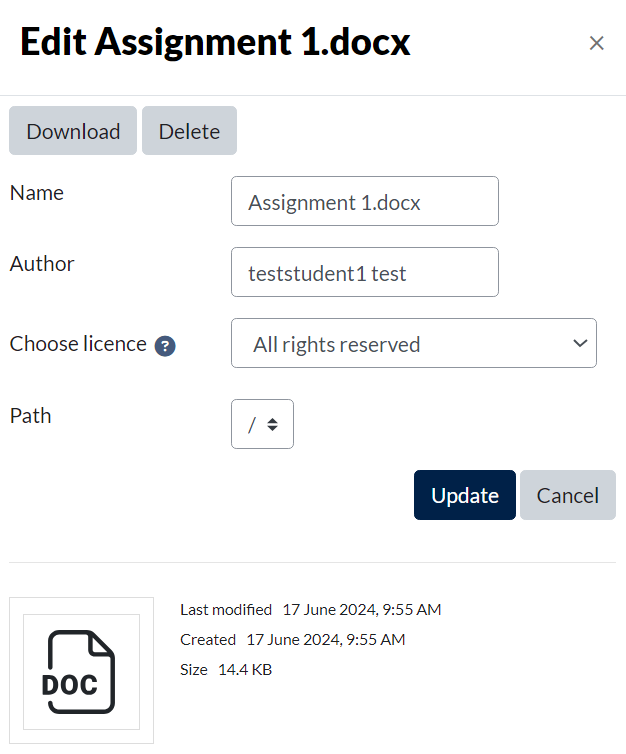
- Click on the image of your assignment in the File submissions box, which will open the Edit screen
- In the Edit screen which appears (image below) click Delete
- Click OK
Now all you need to do is choose the file you’d like to upload instead, by using the file picker or drag and drop. Use the link below if you need a quick reminder of how to do this.